

Packs / Information Security Pack
Information Security Pack
Know what information you hold, control who can get to it, know what to do when something goes wrong, and check how it's going.
Asset and risk registers, access reviews, a secure area log, an office security walkround, backup and restore tests, supplier access checks, incident reports, awareness sessions and a monthly review. It's all on paper and works offline, so it works anywhere.
These pages are a record. They're not a substitute for advice on the rules that apply to you. They never ask you to write passwords or codes.
- 10 working sheet designs
- 5 tabbed dividers
- Worked example
- Plain-English guide
- A4 and A5 binders
Who it's for
Written for the person who runs the day.
- Small teams and owners who look after information
- IT leads and office managers
- Organisations without a dedicated security team
What it helps you do.
- You know what you hold, and who's responsible for it
- Safeguards get checked, not assumed
- An incident is written down with times, actions and who was told
What is inside
5 tabs, each with its own sheets.
TAB 1Start here3 items
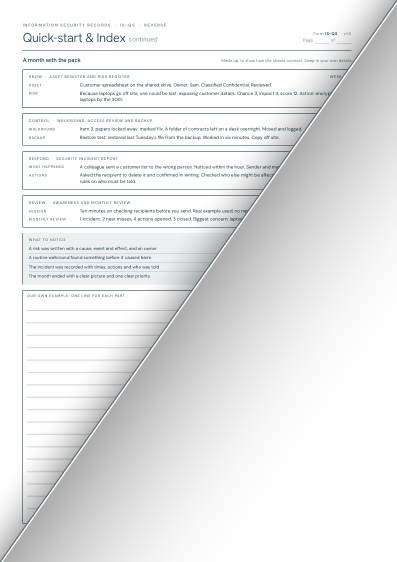
How the pack works, who looks after information security, and when to reorder. Read it once, and come back to it when someone new takes over.
Behind this tab
- Quick-start and index
- Guide: how to use it
- Guide: in practice and troubleshooting
Use it when
- Setting the pack up for an organisation
- A new security lead starts
- The records have slipped and you need a reset
TAB 2Know2 items
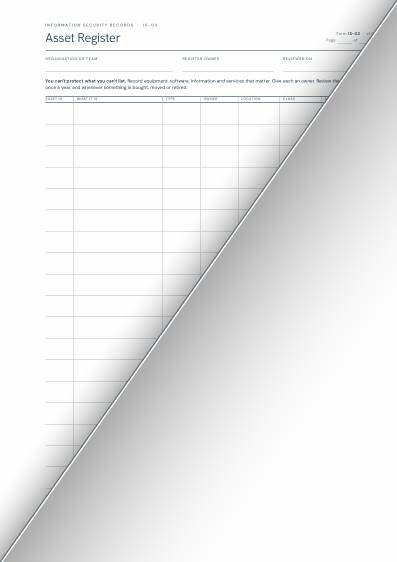
You can't protect what you don't know you have. List your information, systems and equipment, and what could go wrong with each.
Behind this tab
- Asset Register
- Information Risk Register
Use it when
- You buy, move or retire something
- A new system, supplier or way of working starts
- Something goes wrong and you need to review the risks
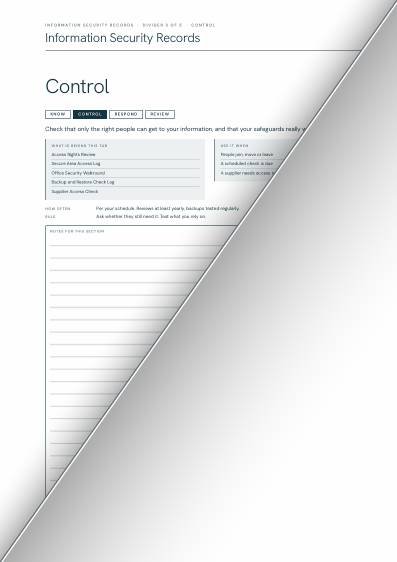
TAB 3Control5 items
Check that only the right people can get to your information, and that your safeguards really work.
Behind this tab
- Access Rights Review
- Secure Area Access Log
- Office Security WalkroundRefill
- Backup & Restore Check Log
- Supplier Access Check
Use it when
- People join, move or leave
- A scheduled check is due
- A supplier needs access to your information
TAB 4Respond1 item
When something goes wrong, act quickly, write down the times, keep what you need, and learn from it. A clear record helps you respond now and do better next time.
Behind this tab
- Security Incident ReportRefill
Use it when
- Something has happened that may have exposed information
- A device or paper is lost or stolen
- Something nearly happened and you want to learn from it
TAB 5Review2 items
Keep people in the picture, and look at the month: what was checked, what went wrong, and what changes next.
Behind this tab
- Security Awareness RecordRefill
- Monthly Security ReviewRefill
Use it when
- You're briefing the team on a topic
- Once a month, for 20 minutes
- You need to report to your manager
See inside
The real pages. Select one to enlarge it.
These are the A4 working designs, shown as the upper-left half of each page. You see the full sheet in the pack. The paper, punching and final layout are confirmed before the first print run.
Questions people ask
The answers, whether or not you buy the pack.
What is an information asset register?
A list of the information and systems you hold, where each one is, who's responsible for it and how sensitive it is. It's the starting point, because you can't protect what you don't know you have.
What are the basics of information security for a small business?
Know what you hold, control who can get to it, notice when something goes wrong, and learn from it. The free guide for small organisations from the NCSC is a good place to start, and it covers backups, protecting devices and accounts, and spotting scams.
What should I do if someone sends an email to the wrong person, or loses a laptop?
Act quickly: contain it, tell the people who need to know, and write down what happened, when, and what you did. If personal data is involved, check the ICO guidance, because some breaches have to be reported quickly.
How often should we review who has access?
There's no single rule. A regular review, plus a check every time someone joins, moves or leaves, works for most small teams. The Access Rights Review sheet gives you somewhere to record it.
Should I write passwords in the binder?
No, never. Don't write passwords, PINs, codes or keys on these sheets, and keep the binder somewhere only the right people can get to it.
About the packs
Before you join the list.
Is this A4 or A5?
Both. The packs are made for A4 four-ring binders and A5 six-ring binders, pre-punched and double-sided. The pages shown here are the A4 designs. Tell us on the waitlist which size you want; your answers help decide which size is printed first.
What paper is it printed on?
We're choosing the paper and checking the punching with a printer. The paper and hole positions will be confirmed before the first run.
How do you decide which packs get printed first?
By how many people ask for them. When you join the waitlist you can choose as many packs as you like, and tell us which one you would want first.
Can I buy the refills separately?
Yes, that's the plan. Each pack is a starter set with a few of every sheet. The ones people use up are marked as refills, and will be sold separately, so you only reorder what you use.
Where do you deliver?
The United Kingdom to start with.
Is this legal or compliance advice?
No. These are blank record sheets designed by Clare Langley. They are independent and are not published, endorsed or approved by any regulator, standards body or certification body. Using them does not make an organisation compliant with any law or standard. You decide what to record, how long to keep it and how to store it securely. Check current guidance for your own setting.